See the workflow before you sign up
Real screens from the fictional N734DM demo aircraft. No guest account and no aircraft data exposed.
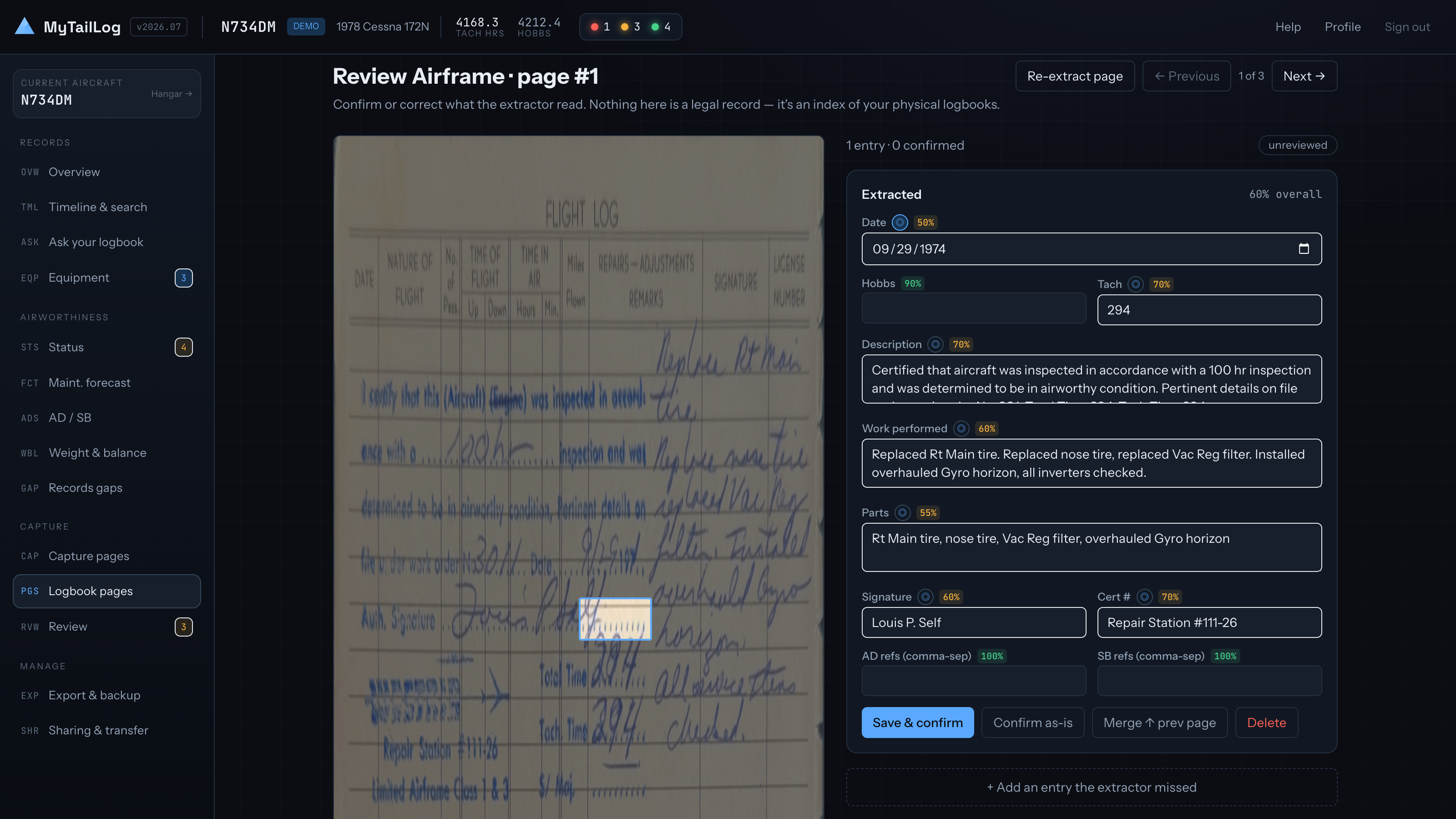
Review every extracted field
The original scan stays beside the structured entry. Confidence is scored field by field so uncertain readings are obvious before you confirm them.
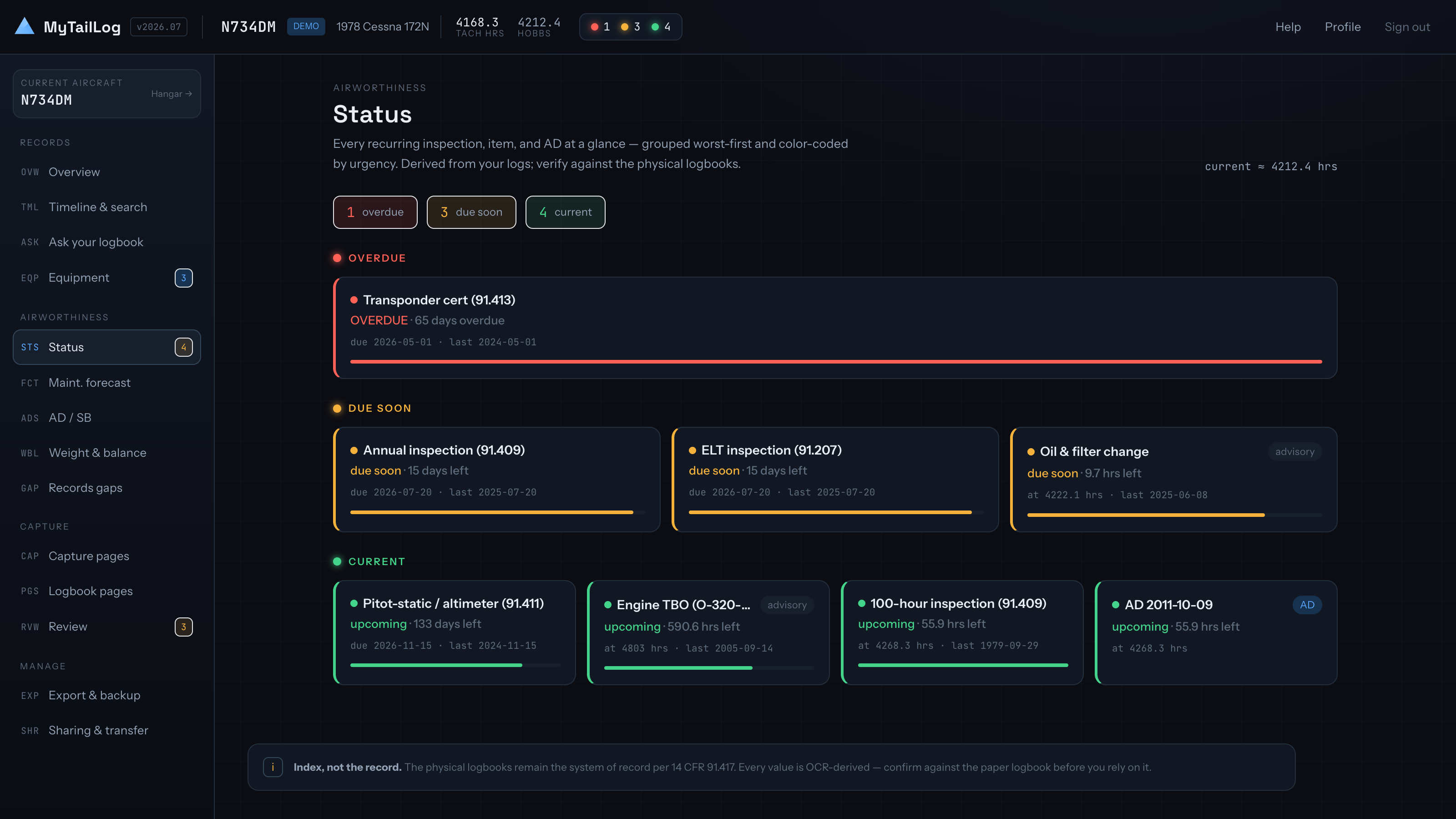
See what is due
Inspections, recurring maintenance, and airworthiness directives are ordered by urgency with both calendar and aircraft-hour limits visible.
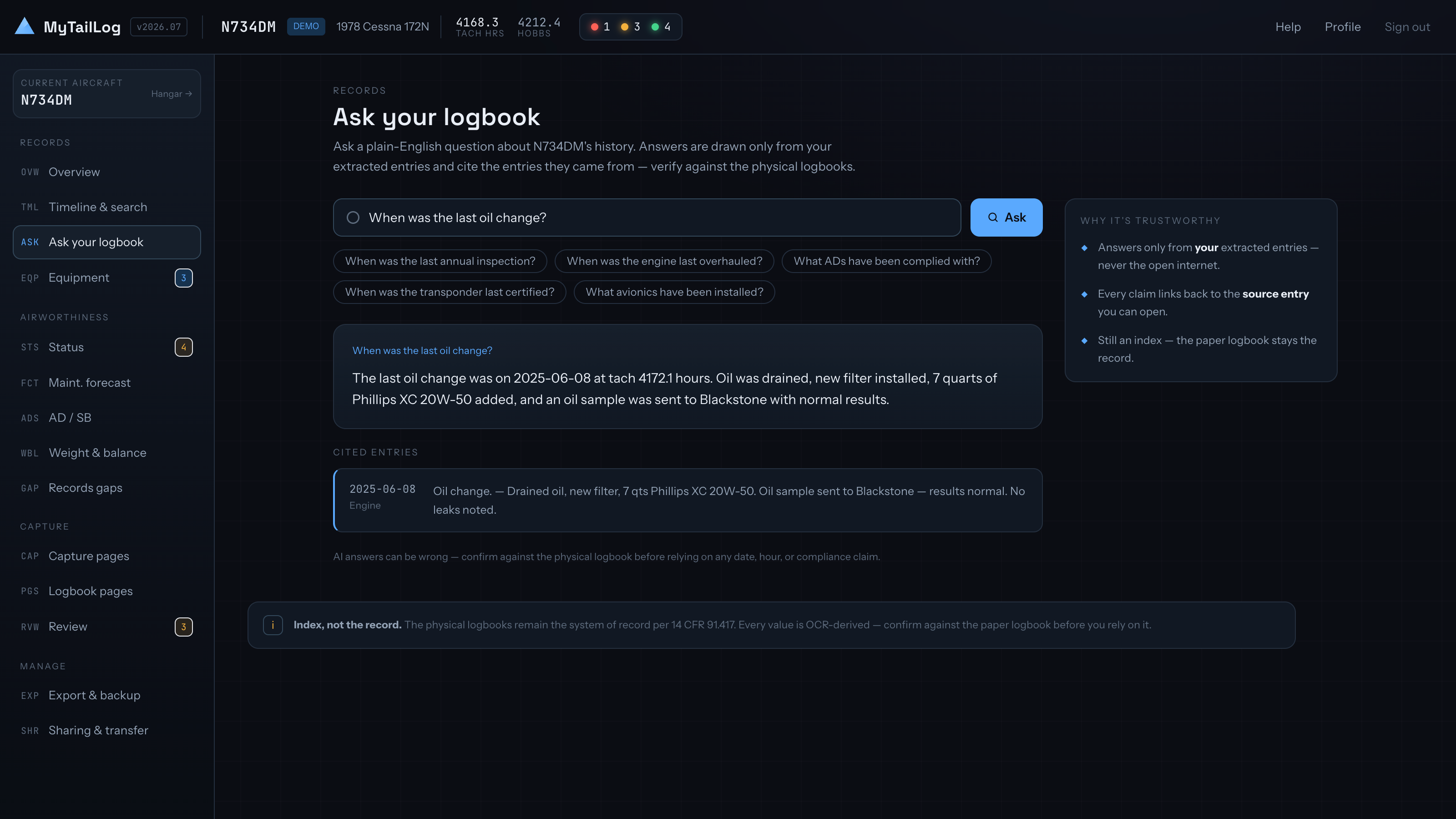
Ask the logbook
Ask a plain-English question and get a concise answer with the source entries cited underneath for verification against the scans.
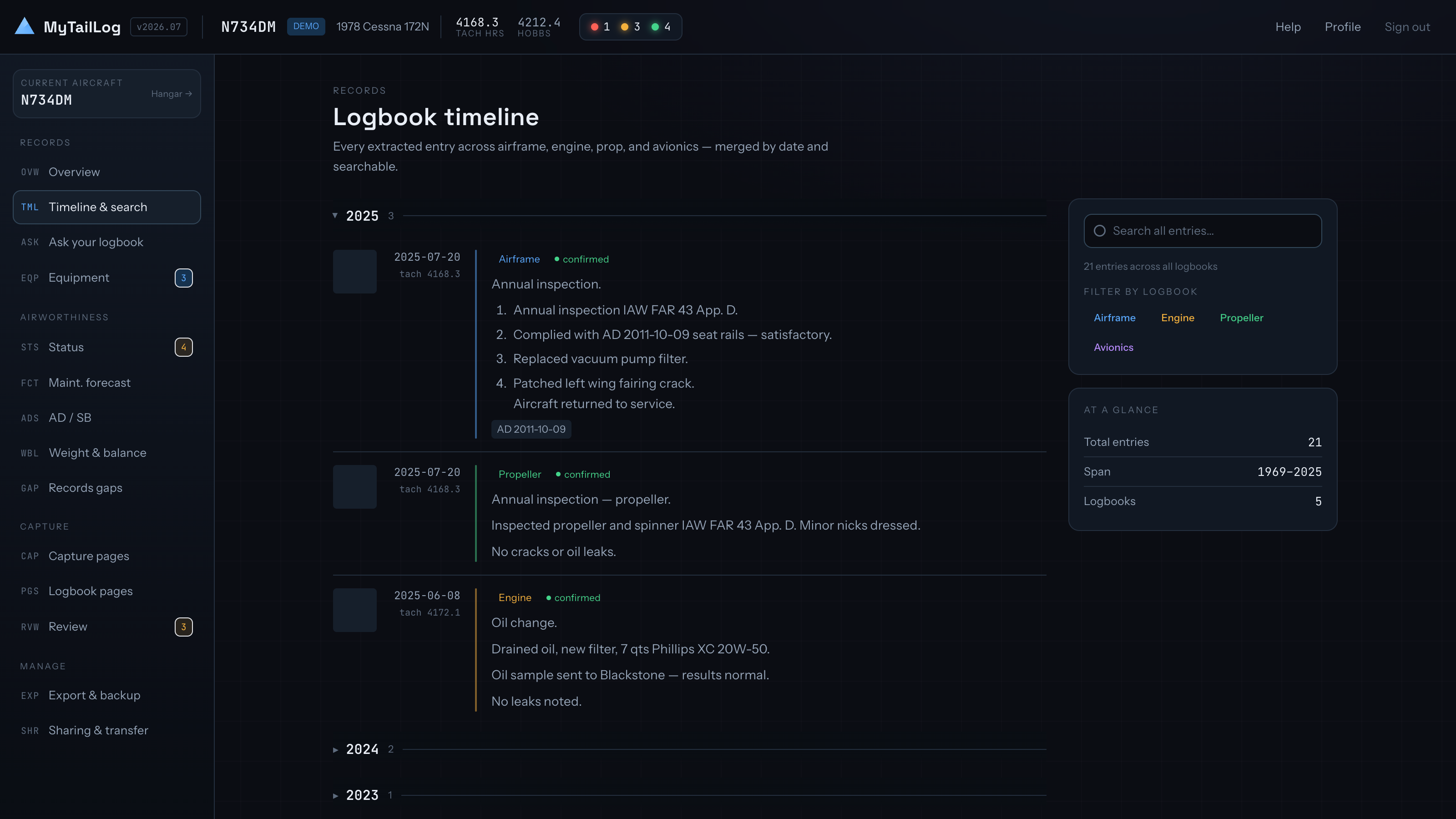
Search one timeline
Airframe, engine, propeller, avionics, and other records become one chronological, searchable maintenance history.
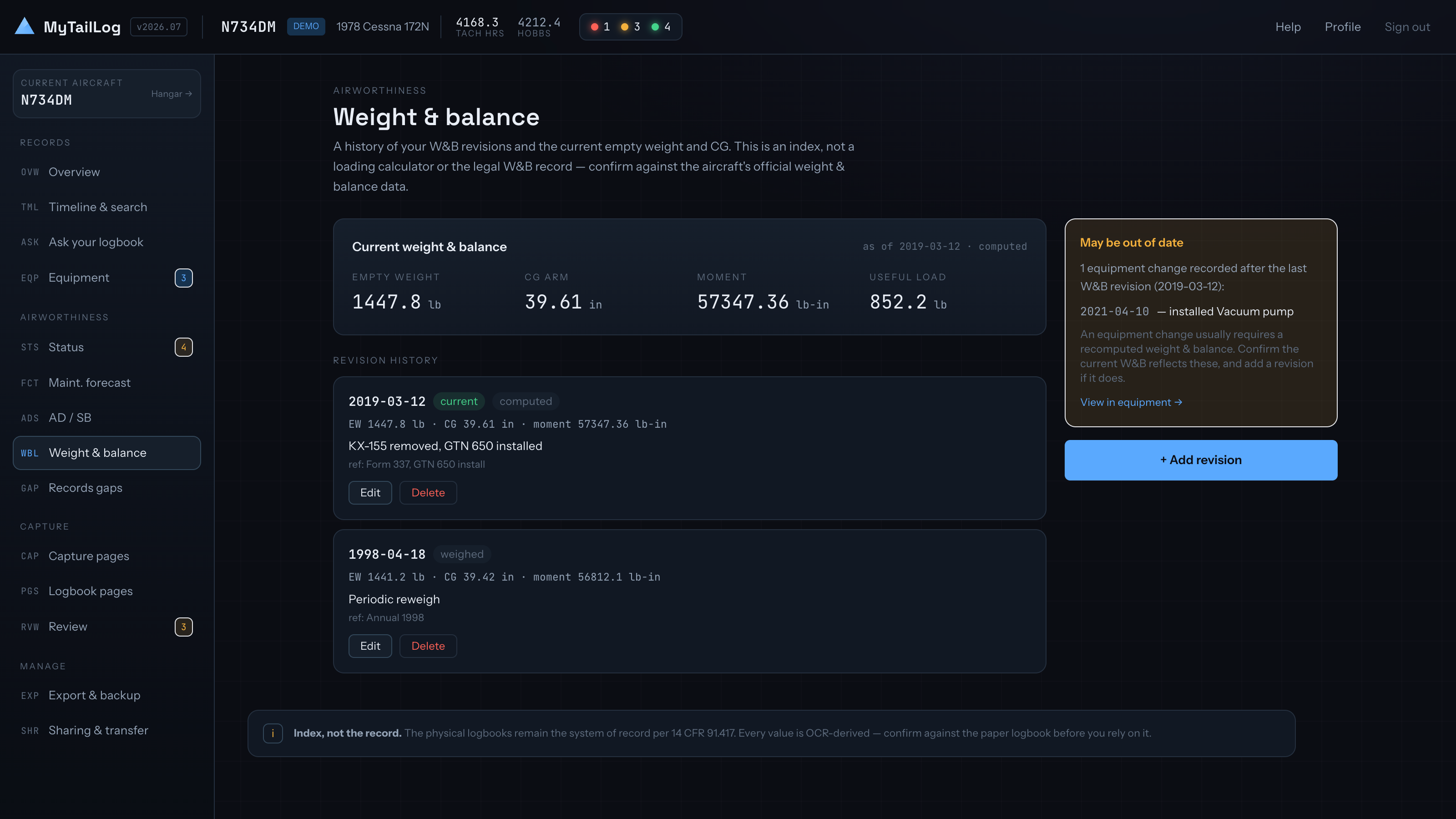
Keep weight and balance history
Current figures sit above every dated revision, with stale data flagged when later equipment changes may have affected it.
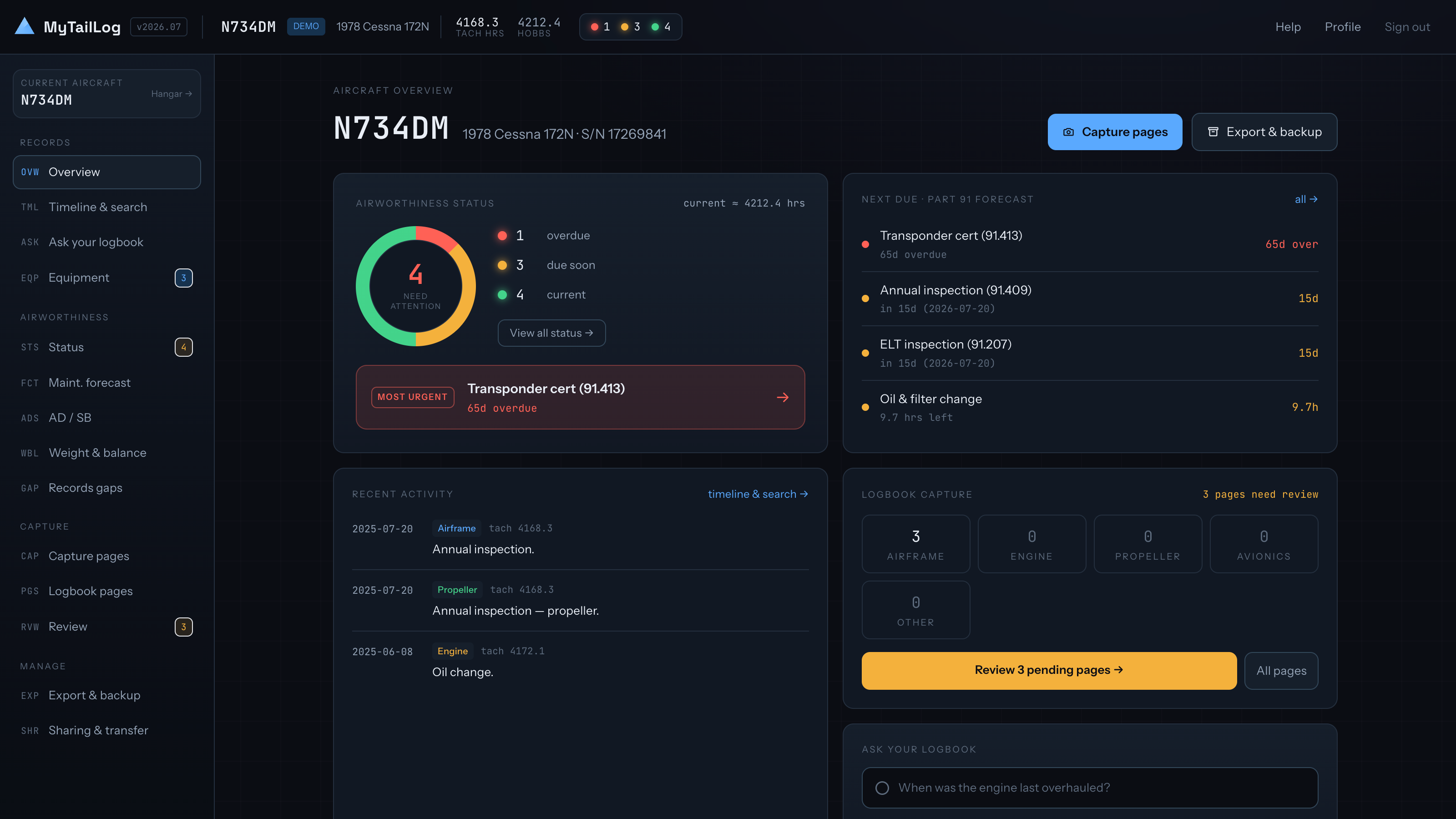
Run the aircraft from one overview
Hours, upcoming work, squawks, oil trends, and recent activity land in one owner-focused view.
Ready to try the real demo?
Free account, no card, with N734DM already loaded.